
Get Started with the VidMate App
Click to DownloadVidMate isn’t on Google Play due to Google policies. Download the APK safely from trusted sources. Verified by CM Security, Lookout, and McAfee for secure, worry-free use.
How to Download and Install the VidMate APK (Latest Version)
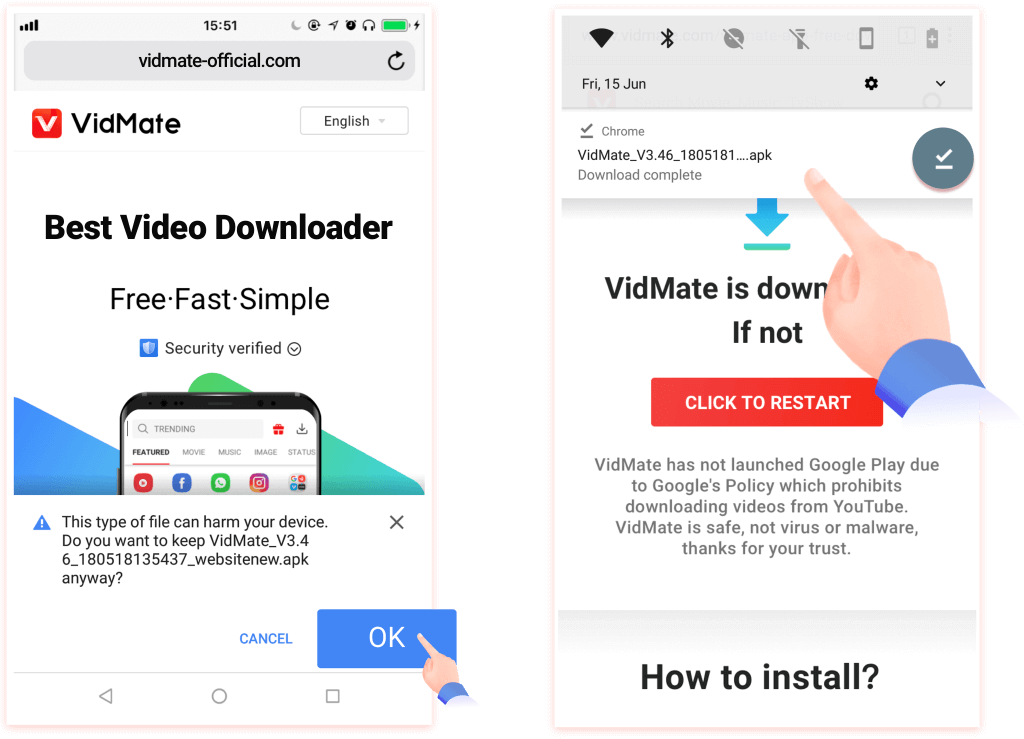
1. Step 1: If Chrome shows a security warning, tap “OK” to continue. Open the downloaded file to install VidMate.
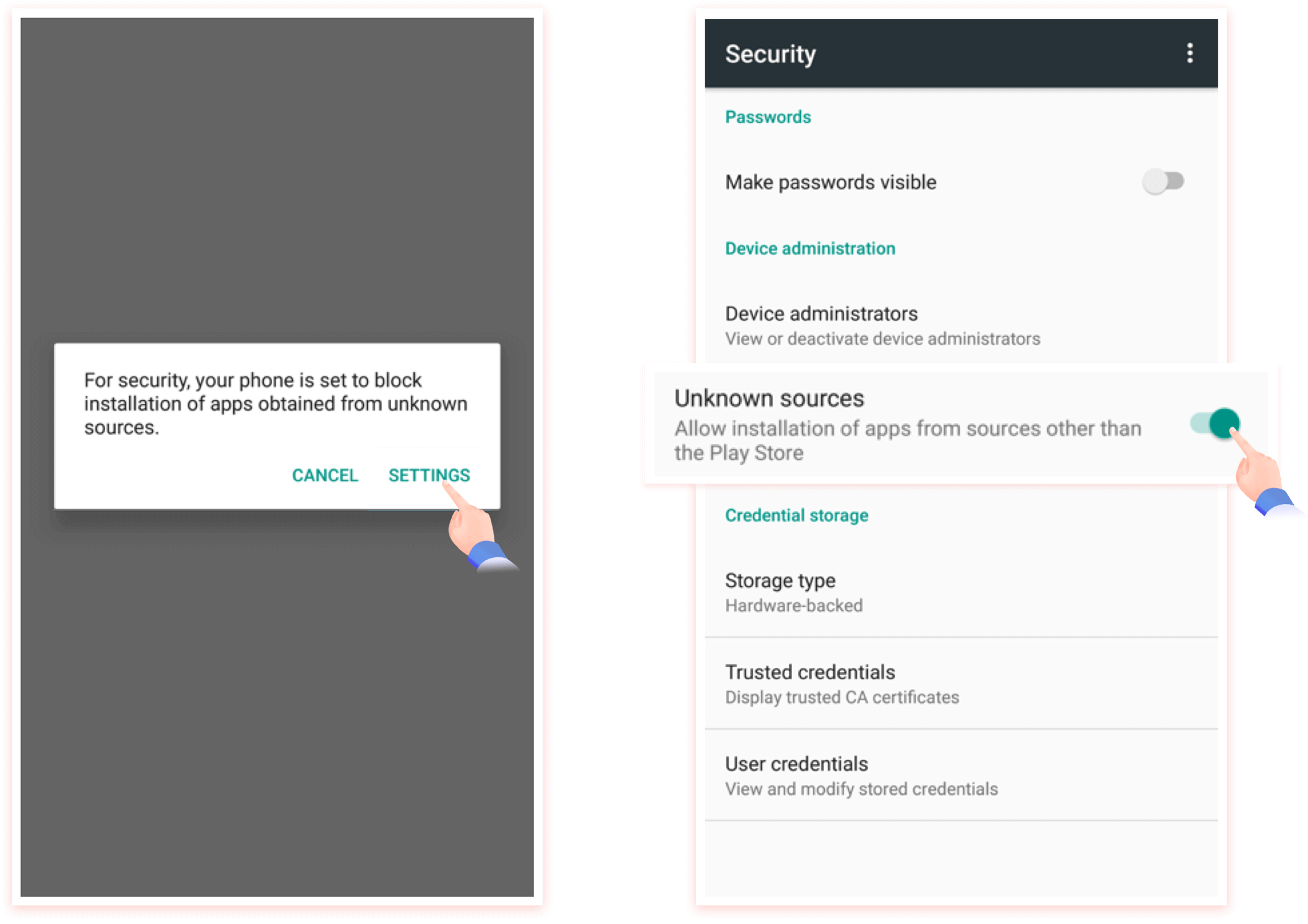
2. Step 2: Enable “Unknown sources”: go to Settings → Security/Privacy → allow apps from unknown sources. Then proceed with the download and installation.